
A native space for notes and code
C++20, Win32 and Scintilla, with tabs, undo/redo, common syntax modes, line numbers, wrap, zoom and keyboard shortcuts.

Your words, in focus.
A native, offline Windows text editor for notes, Markdown and code. Useful tabs, careful Unicode files, bounded search and local recovery—without an embedded browser.
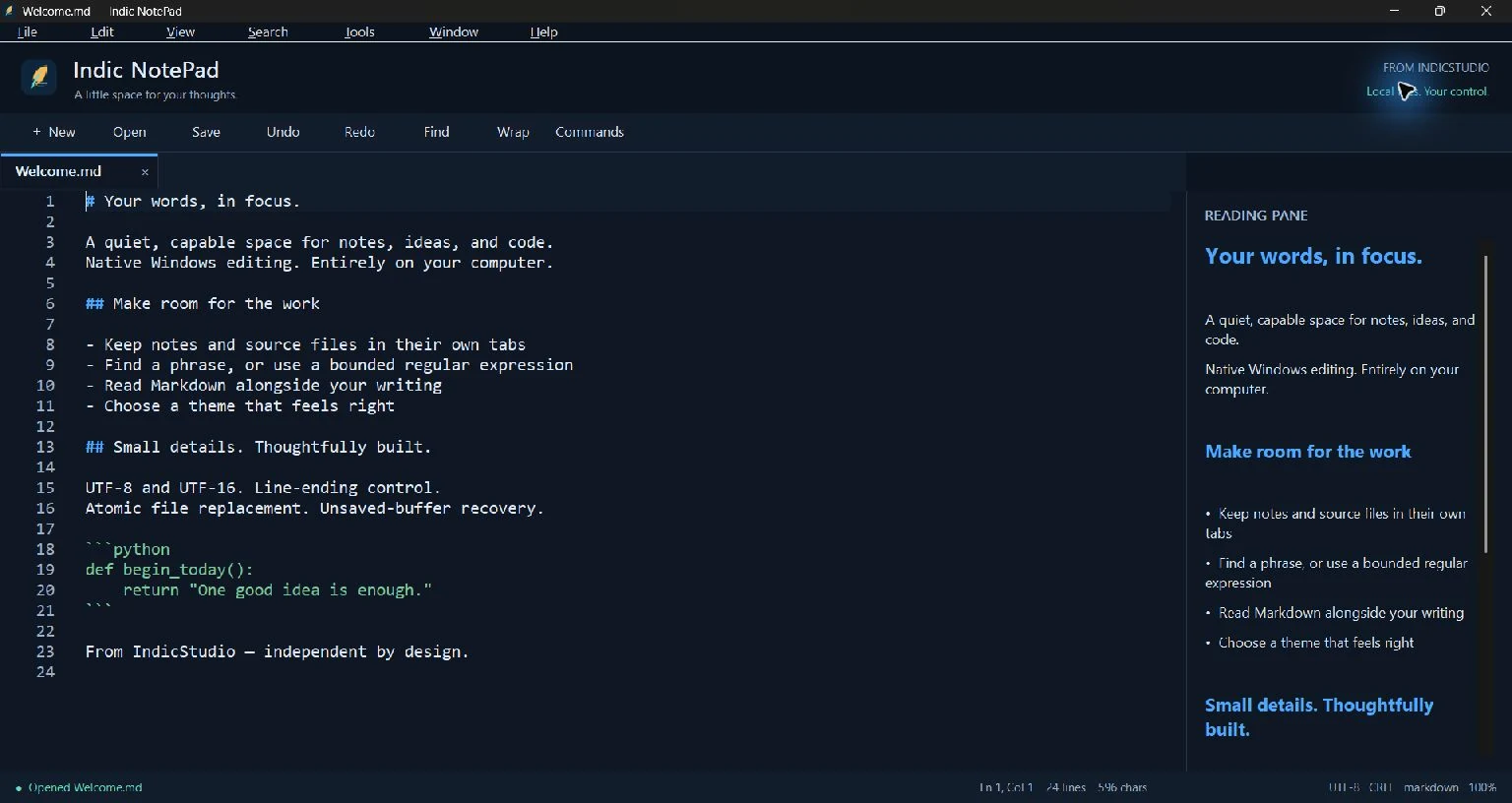
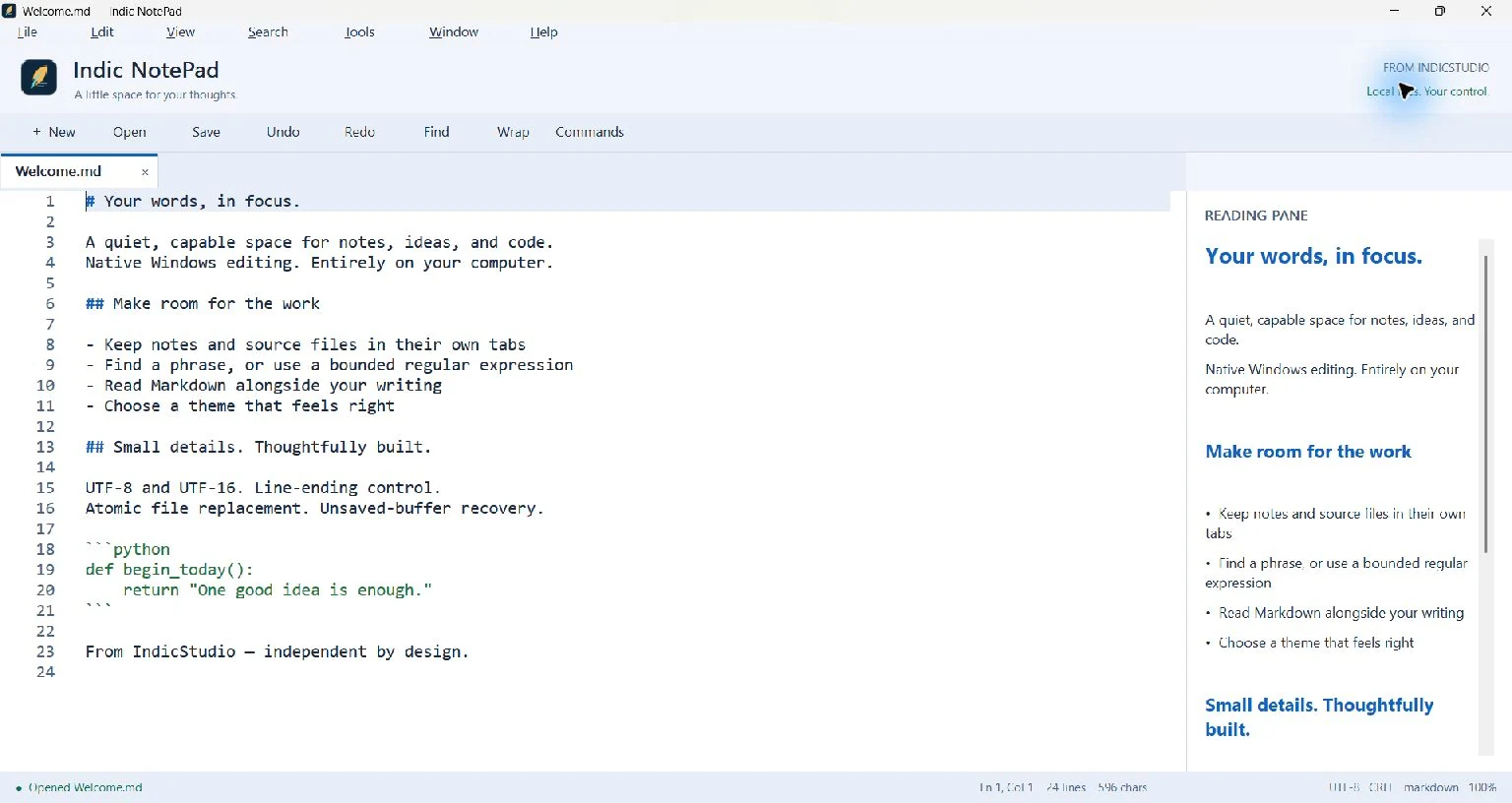
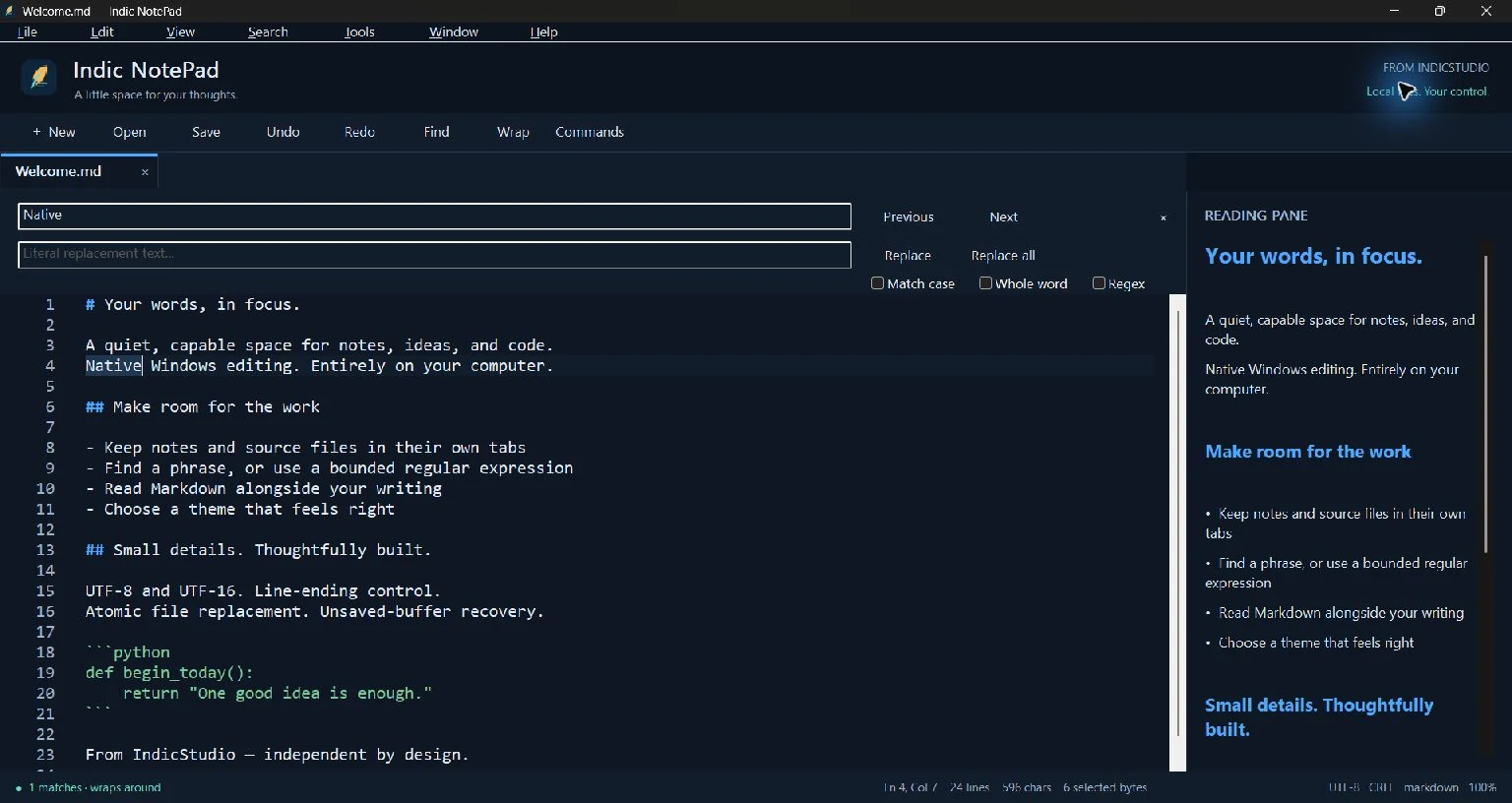
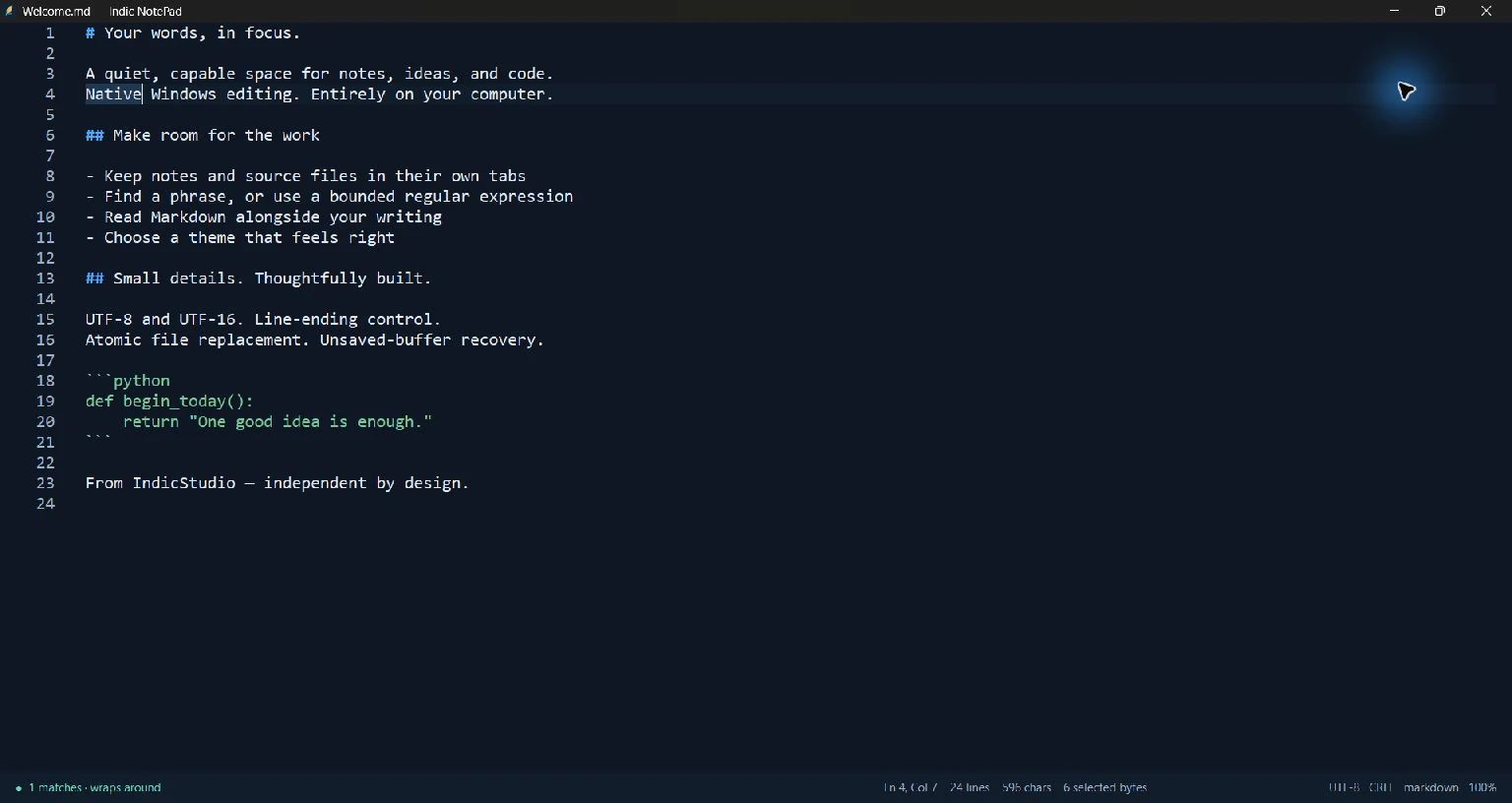
Scroll to explore · Select a screen to enlarge
THOUGHTFULLY MADE
A little space for your thoughts. Indic NotePad brings clear native Windows editing to everyday notes, configuration and source files, with a quiet dark or light interface and no application account or upload service.
Work across tabs, use familiar editing shortcuts, highlight common source formats and find exactly what you need with case, whole-word or bounded PCRE2 regex search. Replace All confirms its count and groups the edits into one undo action. Replacement text is literal, including in regex mode.
Read UTF-8 or BOM-marked UTF-16 LE/BE, preserve existing line endings, choose an output encoding and explicitly convert EOLs. Saving checks the original file identity and content fingerprint before writing/flushing a temporary sibling and replacing the original on supported local Windows filesystems.
Local recovery keeps separate snapshots of dirty buffers. Turn history/recovery features on or off, clear stored lists, use a portable profile, or keep your default Windows application-data profile. Recovery is plaintext local data, not encryption or a substitute for backups.
Open the optional folder explorer or simplified native Markdown reader when useful. Focus mode removes optional chrome; themes and the font picker help make the space your own. No web runtime, interpreters, language-server bundles or persistent service is required.
This unsigned Windows x64 beta is a scoped first release. Editing is limited to 32 MiB per file; oversized files offer only the first 4 MiB in a read-only preview. Full virtual large-file navigation, split editing, printing, folder search and diff are future work. Independent clean-machine Windows 10/11, full assistive-technology/IME/RTL and cold-start testing remain pending.
C++20, Win32 and Scintilla, with tabs, undo/redo, common syntax modes, line numbers, wrap, zoom and keyboard shortcuts.
Strict UTF-8 and BOM-marked UTF-16 LE/BE, explicit save encoding/EOL controls and conflict-aware local replacement.
Case, Unicode-aware whole word and PCRE2 regex, background cancellation and resource limits; confirmed literal replacement.
Debounced snapshots separate from original files, recovery consent, recent-file clearing and separate/portable profiles.
Dark, light or system theme, focus mode, font selection, command palette, optional explorer and native Markdown reading pane.
Windows portable ZIP and per-user installer under 1 MiB each in this beta; no embedded browser or application service. Measured performance is published with its limits.
YOUR DATA, EXPLAINED
Local text processing with no application account, analytics or uploads. Optional local plaintext recovery and recent-file history are under your control.
Read the privacy policyNo. The application is native C++/Win32 with Windows system controls and statically linked editor/search libraries. It has no application account, telemetry, cloud upload or background service.
No. Editable documents are limited to 32 MiB. Larger files may be opened as a clearly labeled read-only preview of the first 4 MiB. The full file is not loaded or searchable, and that preview cannot overwrite the original.
They stay in the selected local profile, but are plaintext and can contain sensitive text and paths. Use the recovery/history controls and consider backups or synchronization affecting that folder. Uninstall retains personal recovery/settings.
It is an unsigned public beta. Native build and control tests, host package checks and limited user-input smoke are recorded. Clean Windows 10/11 installs, broader accessibility/IME/RTL and cold-start/typing benchmarks remain pending.
The current Windows portable ZIP and installer are each under 1 MiB. Five warm, visible samples on the recorded host measured about 143 ms p50 to input-idle and 22 MiB private working set for one 10 KiB note. The report distinguishes working set/private bytes, actual idle CPU and unmeasured cold/typing performance.
The application source is MIT licensed. Scintilla/Lexilla and PCRE2 retain their bundled notices. IndicStudio names and marks do not imply endorsement of modified distributions.
MORE FROM THE STUDIO
 Beta
BetaAn open-source, offline studio for Android release artwork, APK inspection, and checksummed release packs—with a standalone CLI for AI agents.